
📒With a notebook
- You write start times by hand
- You keep checking the clock to see who's done
- Kids play longer than they paid for
- You add up sales at night with a calculator
For kids' ride businesses
Ditch the notebook and the stopwatch. Add the child, pick the ride and the time, take payment… and PlayPass Kids tells you when time is up. At the end of the day you see today's, this week's and this month's sales without doing the math.
The problem
With several rides running at once, the notebook fails: kids go over their time, payments don't add up and at closing nobody knows what was really sold.
 With PlayPass Kids
How it works
Designed to use standing up, one-handed, with a line of kids waiting.
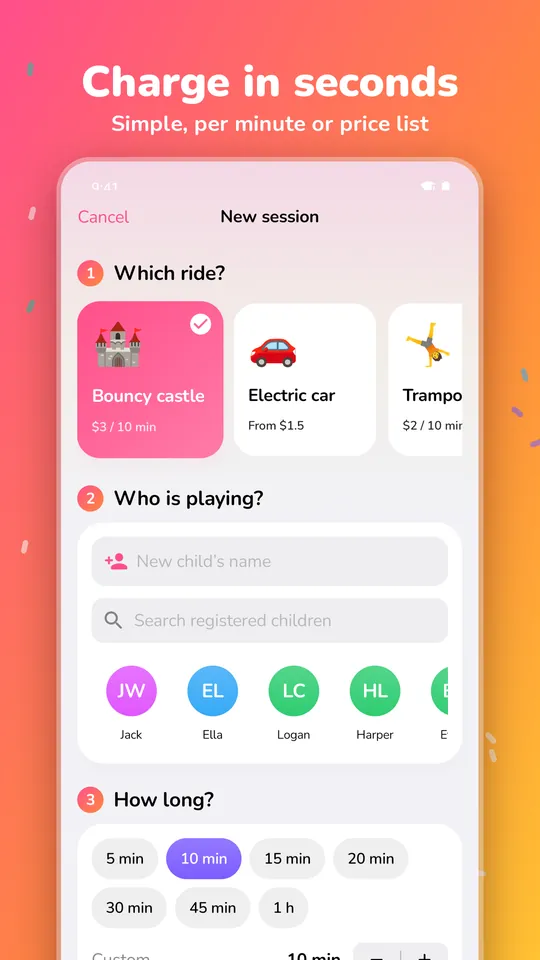
Tap the ride (bounce house, electric car, trampoline…) and type the child's name or choose a returning one.
5, 10, 15 minutes or anything you like. The amount comes from the ride's price; choose cash, transfer or card.
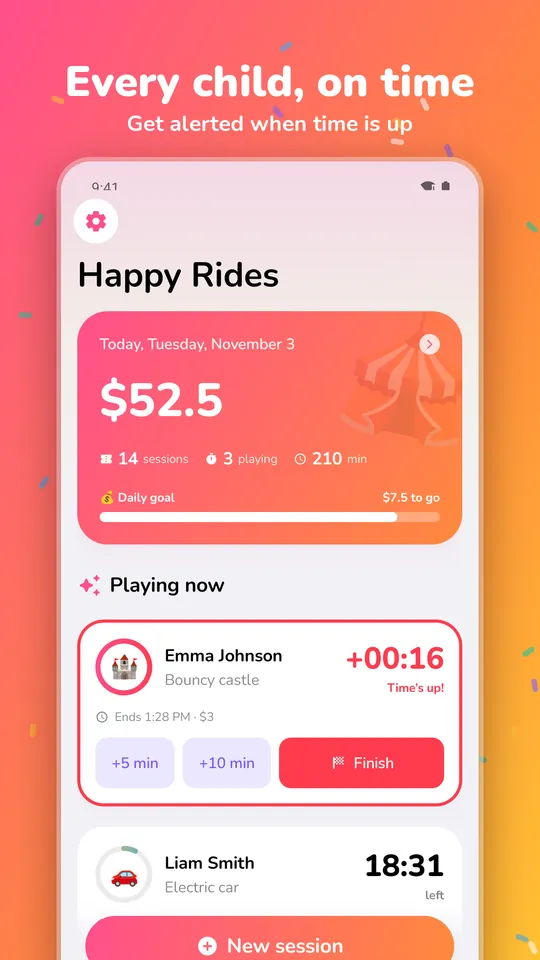
On-screen countdown, a 1-minute warning and a time-up alert, even when your phone is locked.
Earnings calculator
Get a quick estimate with your own numbers. In the app you see real sales, every day.
This is an estimate: it depends on location, season and weather. With PlayPass Kids you know the real numbers and set goals.
Everything you need
Simple on the fairground, complete for running the business.
A countdown for every child on a ride, with a 1-minute warning and a time-up alert, even with the app closed.
Add +5 or +10 minutes and the extra charge is added for you. If someone changes their mind, void the turn and it stays on record.
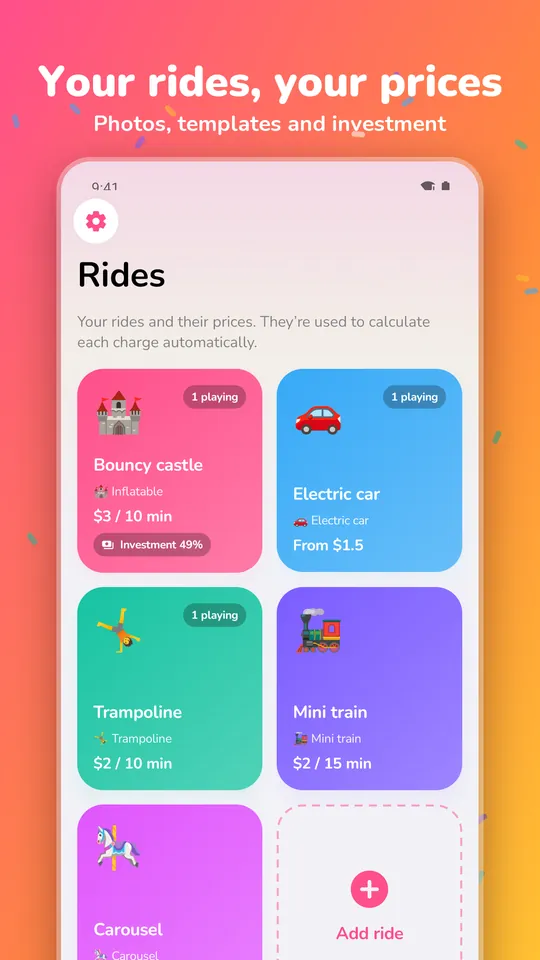
Simple pricing (e.g. every 10 minutes), per minute, a price list (10 min, 30 min, full day) or a custom amount. With ready-made templates.
Record how each customer paid and see at closing how much is in the till and how much in the bank.
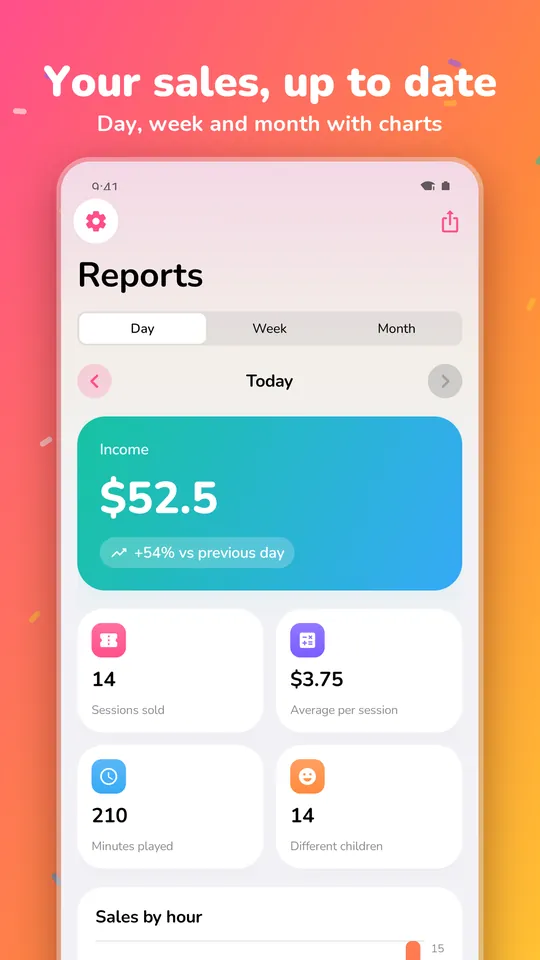
Charts, comparison with the previous period and sales by ride and payment method. No adding up by hand.
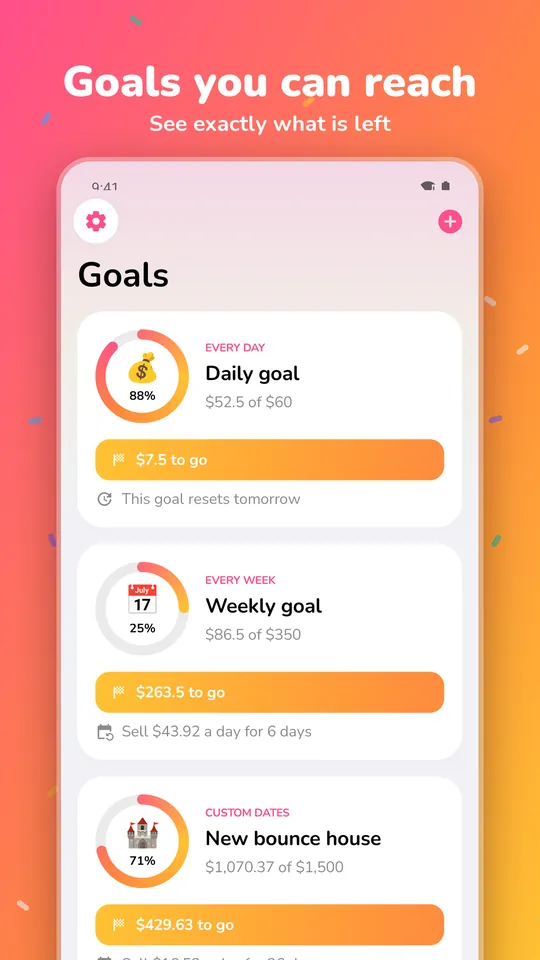
Set a daily, weekly or savings goal for a new ride. The app tells you what's left and how much to sell each day.
Bought or rent a ride? Enter what it cost and see the day it paid for itself and how much it has made.
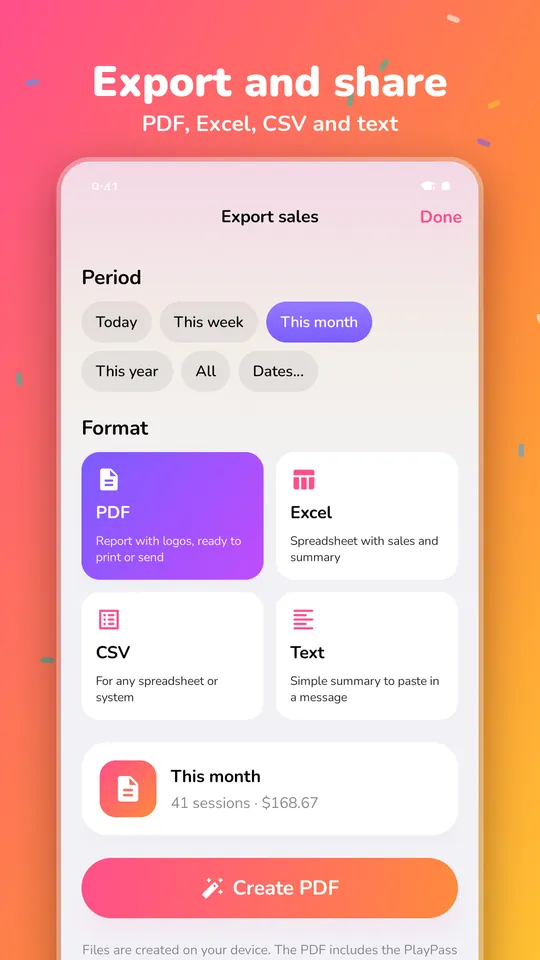
Branded PDF reports, Excel, CSV or text. Send them by WhatsApp or email, or save them to Drive.
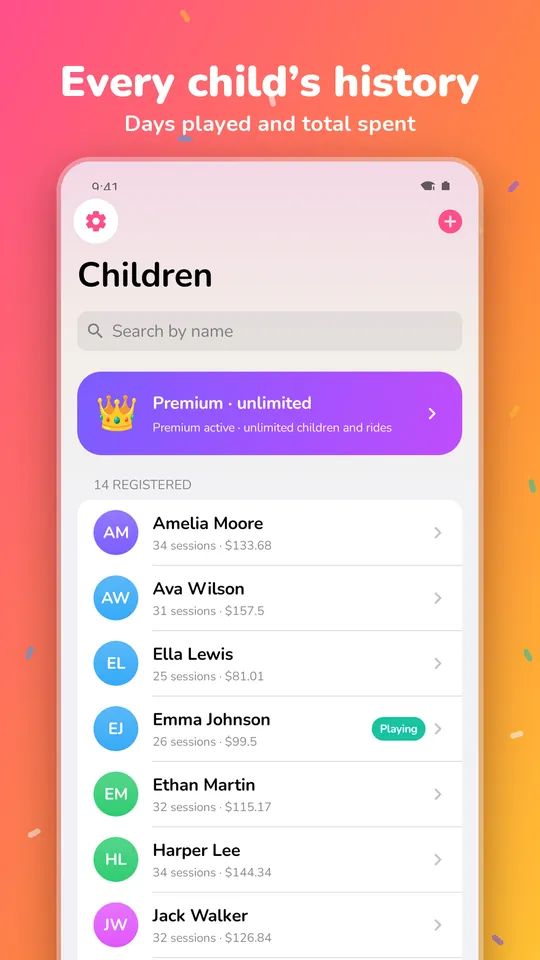
Each child's history with days played and total spent, and photos of your rides to spot them at a glance.
No accounts or sign-up: open the app and start. No ads. Automatic backup with your Google account.
Inside the app
Real screenshots from the app. Swipe to see each screen.
For every kind of ride
Whether it's a bounce house in the park, a fleet of ride-on cars at the mall or rides for birthday parties, PlayPass Kids adapts to how you charge.
Several kids on the same bounce house, each with their own time
See how it works 🚗Short 5, 10 or 15-minute turns in one tap
See how it works 🏎️Turns with time and automatic charging
See how it works 🤸A clear alert when each child's time is up
See how it works 🚂Register each child who boards in seconds
See how it works 🎠Quick turns with the price already worked out
See how it worksPrice templates
The app includes templates to build your price list in one tap. These are the suggested sample prices; you change them.
Sample prices in your currency, rounded. In the app they're just a starting point.
Your country, your language
PlayPass Kids uses your local currency (dollars, euros, pounds, pesos, reais, rupees and more) and works offline at the fair.
Pick your country and the app formats everything in your currency, with or without decimals as appropriate.
The app is in English, Spanish, Portuguese, Chinese and Japanese. If your phone uses another language, it opens in English.
No accounts, no ads and no sending your data to our servers. Everything stays on your phone and in your backup.
Pricing
Every feature is in the free plan. Premium only removes the limits.
0
US$3.99 per monthreference price; Google Play shows the price for your country
The subscription renews automatically until you cancel it in Google Play > Payments & subscriptions.
Platforms
Available on Google Play for phones and tablets (Android 8.0 or later).
The iOS version is ready and waiting for Apple's approval.
A management view with dashboard, sales table and filters, with the same purchase as on iPhone.
On Android, automatic backup with your Google account. On Apple devices, iCloud sync.
FAQ
In PlayPass Kids you pick the bounce house, the child and the minutes, and a countdown starts. The app warns you 1 minute before and when time is up, even with your phone locked, and you can add +5 or +10 minutes with one tap.
Yes. The free plan includes every feature with up to 10 children and 2 rides registered, with no expiry date. Premium is a monthly subscription (US$3.99 reference; Google Play shows your local price) that removes those limits.
Yes. You can have several children on different rides at the same time, each with their own countdown and alert. The home screen shows who's playing and who has the least time left.
However you like: a simple price per block (e.g. every 10 minutes), per minute, a price list (10 min, 30 min, full day) or a custom amount. There are templates to start with, and you can always edit the amount of each turn.
Yes. Reports show daily, weekly and monthly sales with charts, comparison with the previous period and a breakdown by ride and payment method. You can also export them to PDF or Excel.
No. The app works offline and without sign-up. Your data is stored on your phone and included in your Android backup with your Google account, so it comes back on a new phone.
The iPhone, iPad and Mac version is finished and in Apple review. For now you can download it on Android from Google Play.
For anyone who rents or runs kids' rides at fairs, carnivals, parks, malls, birthday parties and events: bounce houses, bouncy castles, inflatables, electric ride-on cars, kiddie rides, trampolines, mini trains and carousels.
The app is in English, Spanish, Portuguese, Chinese and Japanese, and uses your local currency: dollars, euros, pounds, pesos, reais and many more.

Download PlayPass Kids for free and leave the notebook at home.
iPhone, iPad and Mac: in Apple review